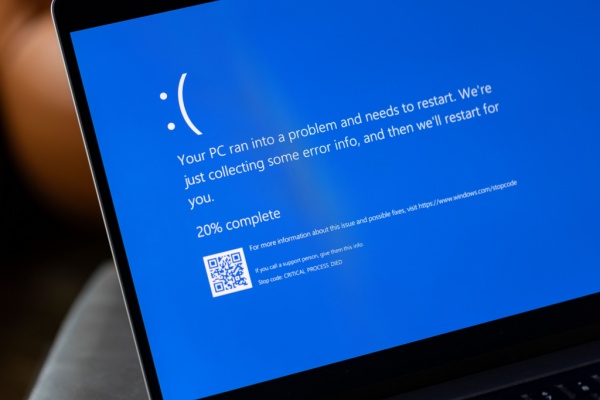
Microsoft is warning that the June expiration of software certificates will put those still using Windows 10 in an even more vulnerable state.
Secure Boot expiring
The software certificates deal with a feature called Secure Boot, which can prevent a PC from loading malicious code as the machine starts up. Microsoft initially introduced the feature in 2011 with Windows 8 to ensure only trusted software runs during the boot process, warding off potential “pre-boot malware” threats. The problem is that “all Windows-based devices have carried the same set of Microsoft certificates,” which are slated to expire in late June. The company has been warning businesses about the issue, but on Tuesday, Microsoft published a new blog post that talks about what consumers can expect.
To keep Secure Boot up-and-running, the software giant has started to roll out fresh certificates through monthly Windows updates for consumers and enterprise users. So if you’re on Windows 11, you should receive the update “with no additional action required,” the blog post notes. In addition, PC manufacturers “have been provisioning updated certificates on new devices and many newer PCs built since 2024, and almost all the devices shipped in 2025, already include the certificates and require no action from customers,” Microsoft says.
Extended Security Updates program
The good news is that Microsoft offers a free way for Windows 10 users to receive security patches through Oct. 13, 2026 via its “Extended Security Updates” program. If your Windows 10 machine is in the ESU program, then you can expect to receive new software certificates for Secure Boot. Otherwise, your computer will miss out.
Specifically, the company warns: “If a device does not receive the new Secure Boot certificates before the 2011 certificates expire, the PC will continue to function normally, and existing software will keep running. However, the device will enter a degraded security state that limits its ability to receive future boot-level protections.”
Windows 10 Users More Vulnerable
But it’s no secret that millions of consumers continue to use Windows 10, which officially lost support last year. This means Microsoft is no longer distributing new updates or security patches for the OS, leaving it more vulnerable to malware and other hacking threats.
The danger is that an unsupported Windows PC could become vulnerable to malware capable of infecting components on a firmware-level, and thus could even survive OS reinstalls. “As new boot‑level vulnerabilities are discovered, affected systems become increasingly exposed because they can no longer install new mitigations,” Microsoft added. “Over time, this may also lead to compatibility issues, as newer operating systems, firmware, hardware, or Secure Boot–dependent software may fail to load.”
Oh Windows 10, I Just Can’t Quit You
However, consumers still on Windows 10 may be well aware of the security trade-offs. Many older Windows 10 PCs can’t update to Windows 11 due to a security chip requirement, meaning affected consumers need to pay for new hardware or register for the ESU program to keep their Windows installation secure.
As a result, the Windows 10 OS continues to hold a 35.77% share of the desktop market, compared to Window 11’s 62.4% share, according to Statcounter. Users can also mitigate the threat by installing a third-party antivirus onto an unsupported Windows 10 PC.
Check the Windows Security App for Updates
In the meantime, Microsoft’s blog post notes that it plans on making the Secure Boot certificate update status available in the built-in Windows Security App “to help consumers track the certificate updates more closely.” If you run into a problem, Microsoft says you should check that you’re running the latest monthly Windows updates.
The company added: “For a fraction of devices, a separate firmware update from the device manufacturer may be required before the system can apply the new Secure Boot certificates delivered via Windows Update. To prepare, we recommend that customers check their OEM (PC manufacturer) support pages to ensure they have the latest firmware updates.”
—
Photo Credit: Lea Rae / Shutterstock.com