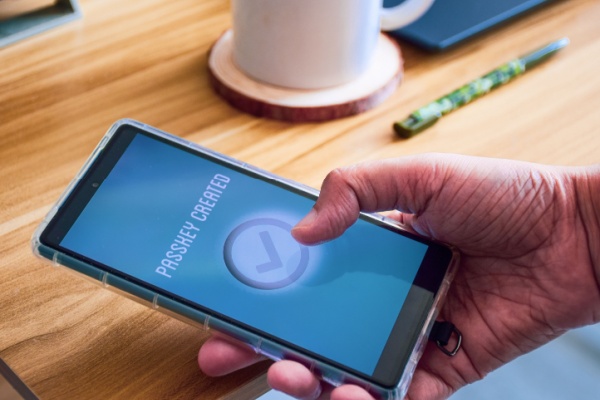
Microsoft is continuing its passkey push by moving away from SMS-based two-factor authentication for local account logins, citing its vulnerability to exploitation and fraud. Instead, it wants everyone to start using passkeys (and eventually, ditch passwords altogether).
As PCMag reports, although text messages have proved a useful way to add an extra layer of security to account logins, they were never designed for this purpose. SMS messages are sent in plaintext, making them a vulnerable vector for man-in-the-middle and number spoofing attacks.
“Microsoft is committed to advancing security standards and as such, we will start phasing out SMS as a method of authentication and account recovery for personal Microsoft accounts,” Microsoft said in an official advisory. “SMS-based authentication is now a leading source of fraud, and by moving to passwordless accounts, passkeys, and verified email, we’re helping you stay ahead of evolving threats while making account access simpler and more seamless.”
Passkeys are a cleaner, more secure way to authenticate, leveraging the local security of a secondary device or your biometric information to confirm your identity. When setting one up, you can use your face, fingerprint, or a local password/PIN. That information never leaves that particular device, making it all but impossible for a third party to spoof it.
How to Set Up a Passkey on Your Microsoft Account
- Sign in to your Microsoft account’s Advanced Security Options
- Choose Add a new way to sign in or verify.
- Select Face, Fingerprint, PIN, or Security Key.
- Follow the instructions on your device.
- Select Continue or Create to store the passkey in the suggested location, or select Change or Save another way to see alternative save location options.
- Complete the passkey save process at the chosen location.
Last year, Microsoft said that anyone setting up a new Microsoft account would be encouraged to use a passkey during sign-up, removing passwords as the default.
However, while passkeys are more secure, they’re not always as convenient. When setting up new Windows PCs or temporary virtual machines, the biometric data may not be so readily available, and setting up a passkey every time can be laborious. SMS messages, in contrast, could be fast and convenient. However, that convenience comes at the cost of security. Fortunately, in those cases, verified email links will remain an option.
Microsoft hasn’t given a date for fully phasing out SMS messages as a secondary authentication method, but users without a passkey will soon be prompted to set one up.
As someone who lives in an area with spotty reception and wonky Wi-Fi calling, this is welcome news. But even in areas where receiving an SMS isn’t as pot-luck as it is for me, it’s probably time to finish with SMS codes. It’s antiquated and has proved for many years to be an insecure method of protecting users and their accounts.
—
Photo Credit: Linaimages / Shutterstock.com
